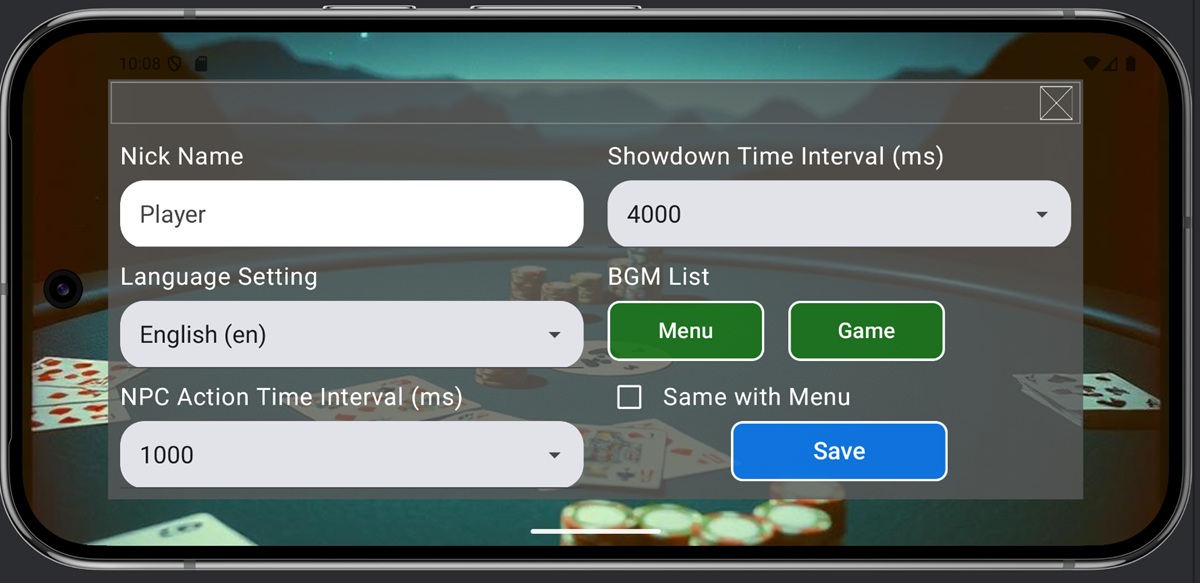
The Configuration Screen allows you to adjust various settings for this game.

The meaning of each item is as follows.
- Nick Name: The nickname displayed as the player’s name on the Game screen
- Language Setting: The language for the Menu screen (screens other than the Game screen)
- NPC Action Time Interval: The time interval (in milliseconds) taken to prevent NPC actions from appearing too quickly when they decide their actions
- Showdown Time Interval: The time interval (in milliseconds) for viewing results during a showdown.
- BGM List: Select the BGM tracks to play on the Menu screen (any screen other than the Game screen) and the Game screen. If you do not want the BGM to change when transitioning from the Menu screen to the Game screen, check Same with Menu and select the BGM track from the Menu button. Pressing the green button will pop up the following screen; select the BGM you wish to use. Refer to Chapter 11 for descriptions of each track.
